Minecraft TPS Explained: What It Is, Why It Drops & How to Fix It
TPS — Ticks Per Second — is the single most important metric for Minecraft server performance. Every block placement, entity movement, redstone circuit, and crop growth runs through the tick engine. When TPS drops below 20, everything slows. This guide explains what controls TPS, how to measure it, what causes drops, and how to fix them — with specific guidance for Indian servers.
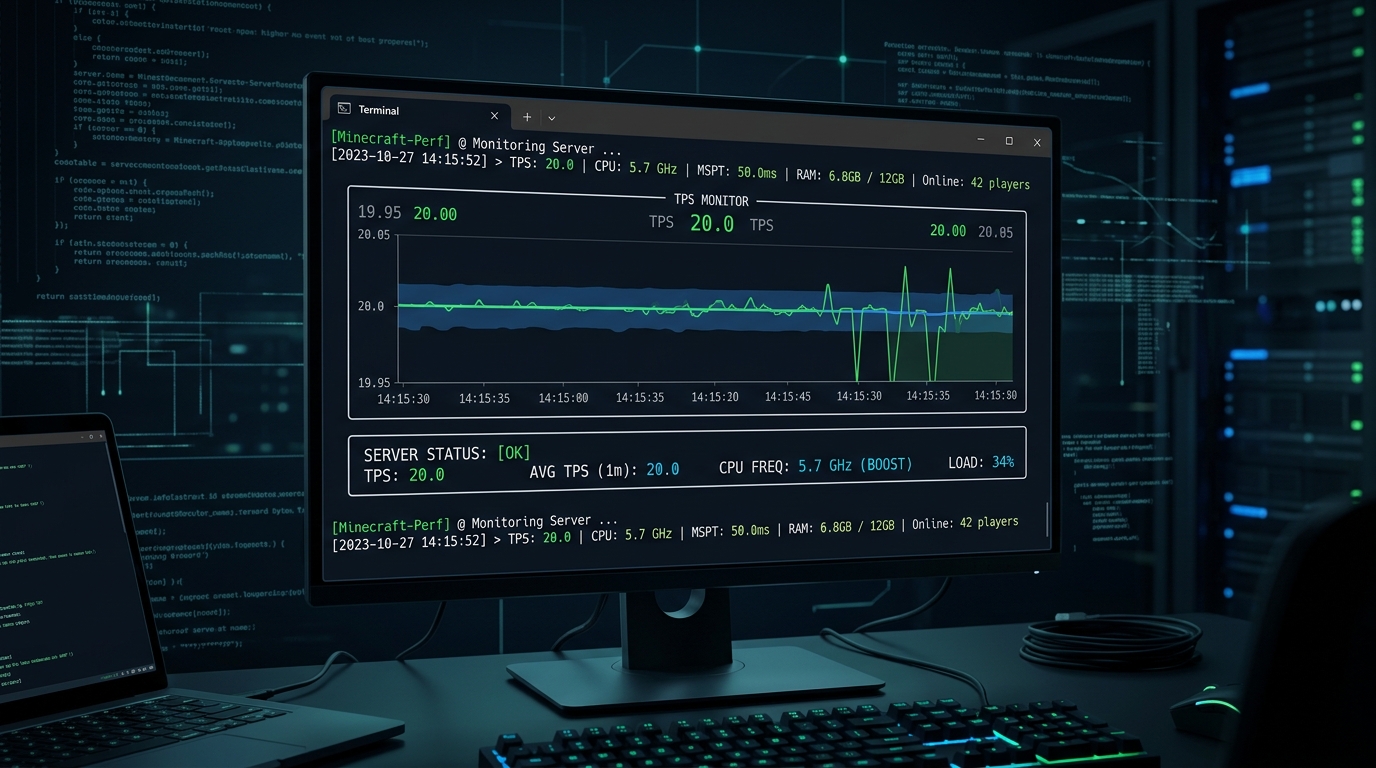
What Is TPS in Minecraft?
Minecraft's game engine processes all logic in discrete ticks. Each tick handles one cycle of the game world: entities move, redstone activates, crops grow, chunks load, and players interact. The target rate is 20 ticks per second (20 TPS).
If the server can process each tick in under 50ms, it runs at full 20 TPS. If a tick takes longer than 50ms, the server falls behind and TPS drops. At 10 TPS, everything in the game runs at half-speed — blocks take longer to break, mobs move slowly, and item pickups are delayed.
| TPS | MSPT | Player Experience | Status |
|---|---|---|---|
| 20.0 | < 50ms | Perfectly smooth — no lag | Excellent |
| 18–19 | 50–55ms | Barely noticeable, minor item delay | Acceptable |
| 15–17 | 55–67ms | Visible rubber-banding, delayed combat | Poor |
| 10–14 | 67–100ms | Severe lag, broken redstone timing, mob AI failures | Unplayable |
| < 10 | > 100ms | Server crash risk, chunk corruption possible | Critical |
TPS vs MSPT: Understanding Both Metrics
TPS (Ticks Per Second) is the output rate — how many ticks the server completes per second. MSPT (Milliseconds Per Tick) is the input — how long each tick takes to process.
The relationship is simple: Target MSPT = 1000ms / 20 TPS = 50ms per tick. If your MSPT is 30ms, you're well below the threshold and running at full 20 TPS. If MSPT spikes to 80ms, TPS drops to approximately 12.5.
Tip: Always monitor MSPT alongside TPS. A server can temporarily show 20 TPS even with high MSPT if the load averages out — but sustained high MSPT always results in TPS drops during peak play.
How to Check TPS on Your Server
Method 1: Built-in /tps command (Paper, Purpur, Spigot)
/tps
TPS from last 1m, 5m, 15m: 20.00, 19.98, 19.95
This shows three averages — the 1-minute value is the most current. Values above 19.5 are healthy.
Method 2: Spark Profiler (recommended)
The Spark plugin is the standard tool for deep TPS diagnosis on Paper-based servers.
# Install: Download spark.jar from sparkmc.dev and place in /plugins/
# Check TPS and MSPT:
/spark tps

# Start a CPU profiler to find the root cause:
/spark profiler
# Wait 30-60 seconds during lag, then:
/spark profiler --stop
Spark generates a web report showing exactly which plugin, entity type, or system is consuming the most tick time. This is the definitive way to diagnose the root cause of TPS drops.
What Causes TPS Drops?
1. Slow CPU Single-Core Performance (Most Common for Indian Servers)
Minecraft's tick engine runs almost entirely on a single CPU core. This means that the total number of CPU cores on your host's server is nearly irrelevant — what matters is the single-core boost clock speed.
| CPU | Single-Core Boost | TPS Under 50 Players + Mods |
|---|---|---|
| Intel Xeon E5-2680 v4 (2016) | 3.3 GHz | 14–16 TPS |
| AMD Ryzen 9 3900X | 4.6 GHz | 18–19 TPS |
| AMD Ryzen 9 5900X | 4.8 GHz base / 5.7 GHz boost | 20.0 TPS |
| Intel Xeon Platinum 8358 (Ice Lake) | 4.0 GHz | 19.8 TPS |
Indian Hosting Reality: Many cheap Indian Minecraft hosts use repurposed enterprise Xeon E5 or Xeon E3 CPUs from 2012–2016 with single-core speeds of 2.0–3.3 GHz. These cannot sustain 20.0 TPS under player load regardless of how much RAM you add. Azion Cloud uses Ryzen 9 5900X and Intel Xeon Platinum nodes exclusively.
2. Too Many Entities
Entity AI processing is the single biggest TPS consumer after CPU speed. Each entity (mob, item, minecart, armor stand) adds to the tick workload. Common culprits:
- Item piles — dropped items in farms that haven't been collected
- Passive mob farms — hundreds of cows/chickens in a small area
- Villager trading halls — villager pathfinding is expensive
- Minecarts — large rail systems with many active carts
Add the ClearLag plugin or configure Paper's entity-activation-range to reduce entity tick load:
# paper.yml — reduce entity activation range
entity-activation-range:
  animals: 16      # default: 32
  monsters: 24     # default: 32
  misc: 8          # default: 16
  water: 16        # default: 16
  villagers: 48    # default: 96
  flying-monsters: 32  # default: 32
3. Excessive View Distance
Each additional chunk in view distance multiplies the server's chunk loading and entity update workload. The default view distance of 10 is often too high for smaller plans:
- 4GB RAM, under 10 players: view-distance=6
- 8GB RAM, 10–25 players: view-distance=8
- 16GB RAM, 25+ players: view-distance=10
# server.properties
view-distance=6
simulation-distance=4
4. Slow Storage (NVMe vs SATA)
When players move into unexplored territory, the server must generate new chunks. On slow SATA storage (500 MB/s), chunk generation can block the tick thread and spike MSPT. Gen4 PCIe NVMe SSDs (7,100 MB/s) eliminate chunk generation as a bottleneck entirely.
Pre-generate your world using Chunky before opening to players to eliminate runtime chunk generation lag:
# Chunky plugin — pre-generate a 5000-block radius world
/chunky radius 5000
/chunky start
5. Plugin Overhead
Badly written or too many plugins add to the tick workload. Common offenders:
- Anti-cheat plugins with per-tick player scanning
- Economy plugins with frequent database calls on each tick
- Custom plugins that schedule repeating tasks every 1 tick
Use Spark's profiler to identify which plugin is consuming the most tick time, then contact the plugin developer or find an alternative.
Recommended Paper Configuration for 20.0 TPS
# spigot.yml — entity ticking optimization
mob-spawn-range: 4          # reduce mob spawning radius
entity-tracking-range:
  players: 48
  animals: 48
  monsters: 48
  misc: 32
  other: 64
max-tick-time:
  tile: 50
  entity: 50

# paper-global.yml — async chunk loading (Paper 1.20+)
chunk-loading-advanced:
  auto-config-send-distance: true
  player-max-chunk-send-rate: 75
  player-max-concurrent-chunk-loads: 8
TPS FAQ
A TPS of 20.0 is perfect. Values of 18.5–20.0 are acceptable for most players. Below 18.0, rubber-banding and lag become noticeable. Below 15.0, the server is effectively unplayable for PvP or technical gameplay. Aim for 19.5+ at peak player hours.
Not usually. RAM affects how much data the server can hold in memory (loaded chunks, entity data, plugin data) but TPS is primarily controlled by single-core CPU speed. If your server has 16GB RAM and is still dropping TPS, the issue is almost always CPU clock speed or entity/plugin overhead — not memory.
If TPS shows 20 but players experience lag, the issue is likely network latency (ping), not server performance. Check your server's ping from India — servers hosted outside India (US/EU) will show 100–250ms ping for Indian players, which causes client-side lag that feels identical to TPS drops even when the server is running perfectly.
Want a Minecraft Server That Holds 20.0 TPS?
Azion Cloud uses AMD Ryzen 9 (5.7 GHz boost) and Gen4 NVMe SSDs in Mumbai and Delhi NCR — the right hardware to sustain 20.0 TPS on Indian servers.
View Minecraft Server Plans →Related: PaperMC vs Purpur vs Spigot • GeyserMC Crossplay Guide • Fix "Can't Keep Up" Lag • How Much RAM Do You Need?